


If you’re new to internal communication tools or intranet software, you’ve probably come across the term employee portal. Maybe you thought, “Wait—isn’t that just an intranet?” Kind of. But also… not quite.
Let’s dig into what an employee portal is, how it works, and why it might just be the unsung hero of your digital workplace.
So, what is an employee portal?
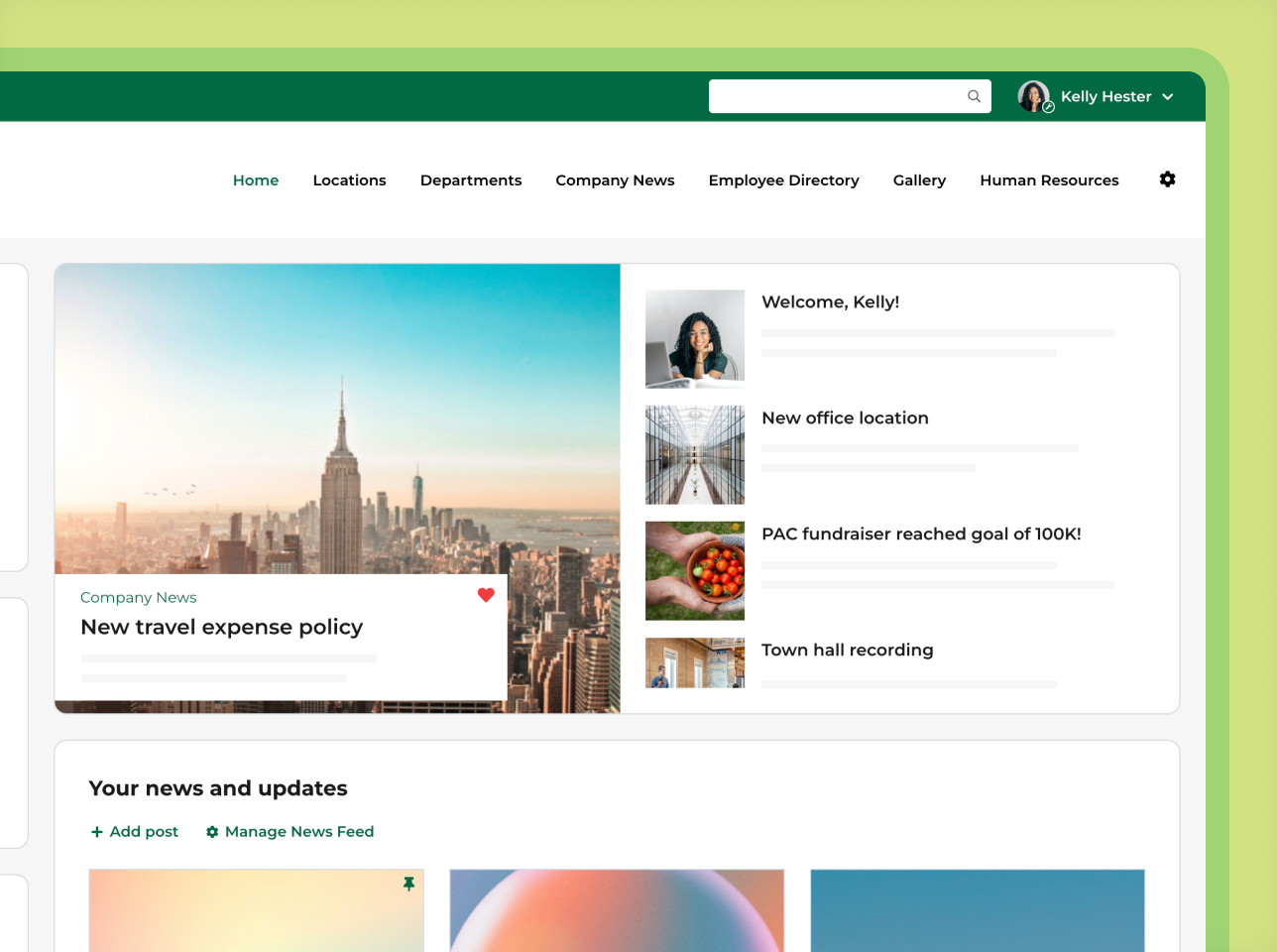
An employee portal is a secure, private website where employees log in to find the tools, information, and updates they need for work, such as HR documents, company news, forms, and the employee directory. Most organizations build their employee portal on an intranet platform, which is why the two terms are often used interchangeably.
Employee portal vs. intranet: What’s the difference?
These terms get used interchangeably, but they serve slightly different purposes:
- Intranet: A broad internal platform designed for company-wide communication, collaboration, knowledge sharing, and project management.
- Employee portal: A more focused solution, often centered around HR and employee-specific tools like time-off requests, benefits info, and personal data management.
Think of it like this: an employee portal is often one key piece of a modern intranet, customized for the employee experience. Check out the 12 Best Intranet Software Platforms of 2026.
Top features of employee portals
Every organization’s needs are different, but here are the features that show up again and again in great employee portals:
- Document management
A central spot to store and organize policies, onboarding guides, and SOPs. - Internal communication tools
Company newsfeeds, push notifications, and announcements that keep everyone connected. - Employee directory
Profiles with roles, departments, bios, and contact info—great for networking. - Task and project management
Keep track of who’s doing what (and when it’s due). - News and announcements
Push important updates straight to your team. - Knowledge base
FAQs, how-to guides, and resources for quick self-serve answers. - Calendars and events
Schedule team meetings, town halls, and company events with ease. - Feedback tools
Use polls and online forms to gather insights and spark engagement. - Integrations with business systems
Connect with platforms like your HRIS, CRM, or project management tools. - Mobile accessibility
Whether you’re on the train or in a remote office, stay connected via mobile.
Why use an employee portal?
Here’s how the right employee portal can level up your organization:
Stronger employee engagement
Think of it as the digital watercooler—recognition boards, forums, and social features give employees space to connect.
Smarter internal communication
Everything’s in one place. Say goodbye to 27-tab multitasking and buried email chains.
Better collaboration
Whether it’s brainstorming with a teammate or working across departments, portals remove silos and make teamwork seamless.
Faster access to info
No more hunting through folders or pinging five people for a policy doc. Just search and go.
Increased productivity
Centralized tools mean less time searching and more time doing.
How do employee portals work?
Let’s break it down:
- Secure login
Employees log in with SSO or other secure credentials - Personalized dashboard
Everyone gets a custom homepage and experience based on their department, role, or location - Sharing & collaboration
Employees can post updates, share documents, or contribute to discussions - Workflow automation
Built-in forms and approvals streamline everything from vacation requests to policy sign-offs - Recognition & culture tools
Shoutouts, interactive polls, birthday spotlights—it’s the small things that build big culture
AI + employee portals = the future of work
AI is shaking up the intranet world—in a good way. Here’s how it’s being used:
- Smart content suggestions, easy editing, and enhancements
- AI Assistants or chatbots that answer specific questions with cited answers
- Summaries of company updates
How to choose employee portal software
Employee portal software is the platform you use to build and run your portal. Most organizations choose between an intranet platform, the self-service portal in their HR system, SharePoint, or a custom build. Building a custom employee portal is possible, but a modern intranet platform is faster to launch and easier to keep up to date.
When you compare options, look for:
- Easy management. Your HR or comms team can update pages, content, and permissions without filing an IT ticket
- Single sign-on and permissions. Employees log in once, and sensitive content like HR policies is visible only to the right groups
- Integrations. Connections to your HRIS, Microsoft 365 or Google Workspace, and Teams or Slack
- Mobile access. An app for frontline and deskless staff who don’t work at a computer
- Search. Fast, filtered search so employees can find policies and forms without asking around
- Analytics. Page views and search data that show what employees use and what’s missing
For the full list, see our intranet features checklist.
Best practices for launching your employee portal
Getting started? Keep these tips in mind:
- Set clear goals – Know what you want to achieve: better communication, more engagement, easier onboarding?
- Involve stakeholders early – HR, IT, leadership, and frontline workers should all weigh in
- Choose the right platform – Look for one that’s secure, customizable, and integrates with your current systems
- Customize for your team – Tailor the experience so it feels like your company—not a stock template
- Train and support – Offer onboarding sessions and ongoing support to help employees get the most out of the platform
- Iterate and improve – Collect feedback and continuously enhance the experience
- Make it fun – Think scavenger hunts, leaderboards, or trivia contests to spark interest
Get the most out of your intranet
Discover the many benefits and uses an intranet can provide across your organization
Download now
FAQs
Can employee portals help smaller companies too?
Absolutely.
Many digital workplace platforms (like ThoughtFarmer) scale to fit teams of all sizes. We usually recommend a company have around a minimum of 50 employees to benefit.
What tools are typically included in a portal?
Document storage, forms, calendars, recognition tools—basically, everything your team needs to stay productive.
Are employee portals secure?
Yes, if you choose a platform with encrypted access, permission settings, and SSO authentication. See intranet security features.
How can AI help in an employee portal?
Features such as smart search, chatbots, and proactive content suggestions are all made possible with AI Intranet features.
Wrapping up
Whether you’re just starting your internal communications journey or upgrading an outdated intranet, a modern employee portal can change the way your team connects, communicates, and collaborates.
Want to see how ThoughtFarmer can help you create a better employee experience? Book a demo or explore our features page to learn more.


